
Divi Single Builder Addon
The Modern Events Calendar (MEC) Divi Single Builder Addon is a powerful extension designed to seamlessly integrate with the Divi theme. It provides a versatile solution for creating and showcasing events by enhancing the Divi Builder with specialized modules tailored for event management. Users can effortlessly customize single event pages and modal popups to ensure a cohesive design that aligns with their website’s aesthetic.
Initial Setup & Requirements
Before you begin designing, ensure your environment meets the necessary requirements and the initial settings are configured correctly.
Requirements
- MEC Lite or Pro: This addon requires Modern Events Calendar (Lite or Pro) version 6.0 or higher.
- Addon Activation: Ensure the Divi Single Builder Addon is installed and activated alongside MEC.
Read Also:
How to install MEC and Addons?Sidebar Preparation
To ensure your custom layouts function correctly, you must prepare your sidebar widgets:
- Navigate to Appearance > Widgets.
- Add your preferred items to the MEC Single Sidebar Widget.
- Go to MEC Settings > Single Event > Sidebar to finalize which widgets will be available for your single event pages
Read Also:
Single Event SidebarCreating a Single Event Template
The core of this addon is the ability to build custom layouts using the Divi interface.
Creating the Layout
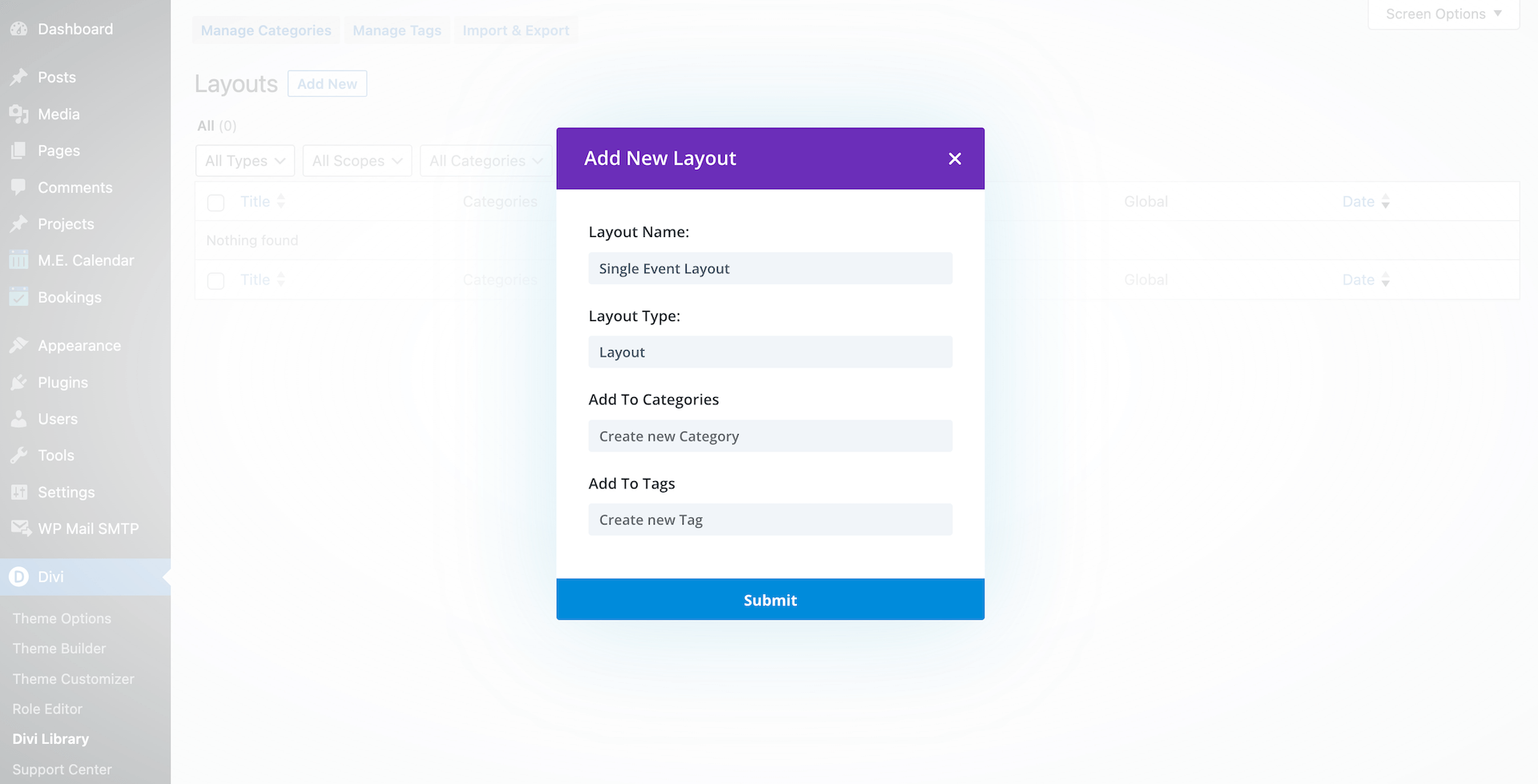
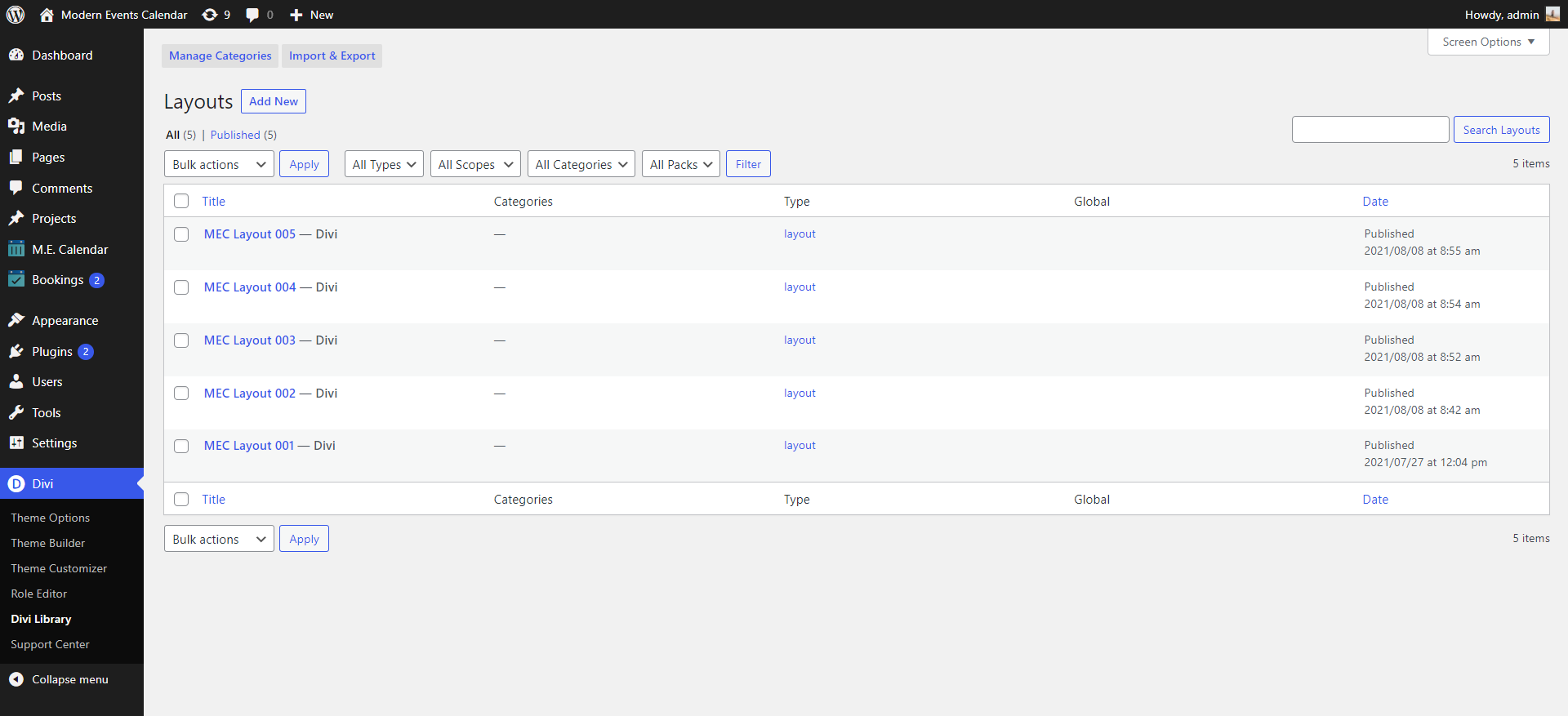
- Navigate to either Divi > Divi Library or the M.E. Calendar menu > Divi Single Builder.
- Click to create a new layout.
- Mandatory Step: You must choose “Layout” from the Layout Type dropdown menu for the template to work with MEC.
Designing the Page
Once the layout is created, click the submit button to be redirected to the Divi Builder.
Customization: You can select pre-designed modules and adjust their styles, colors, and schemes to match your brand.
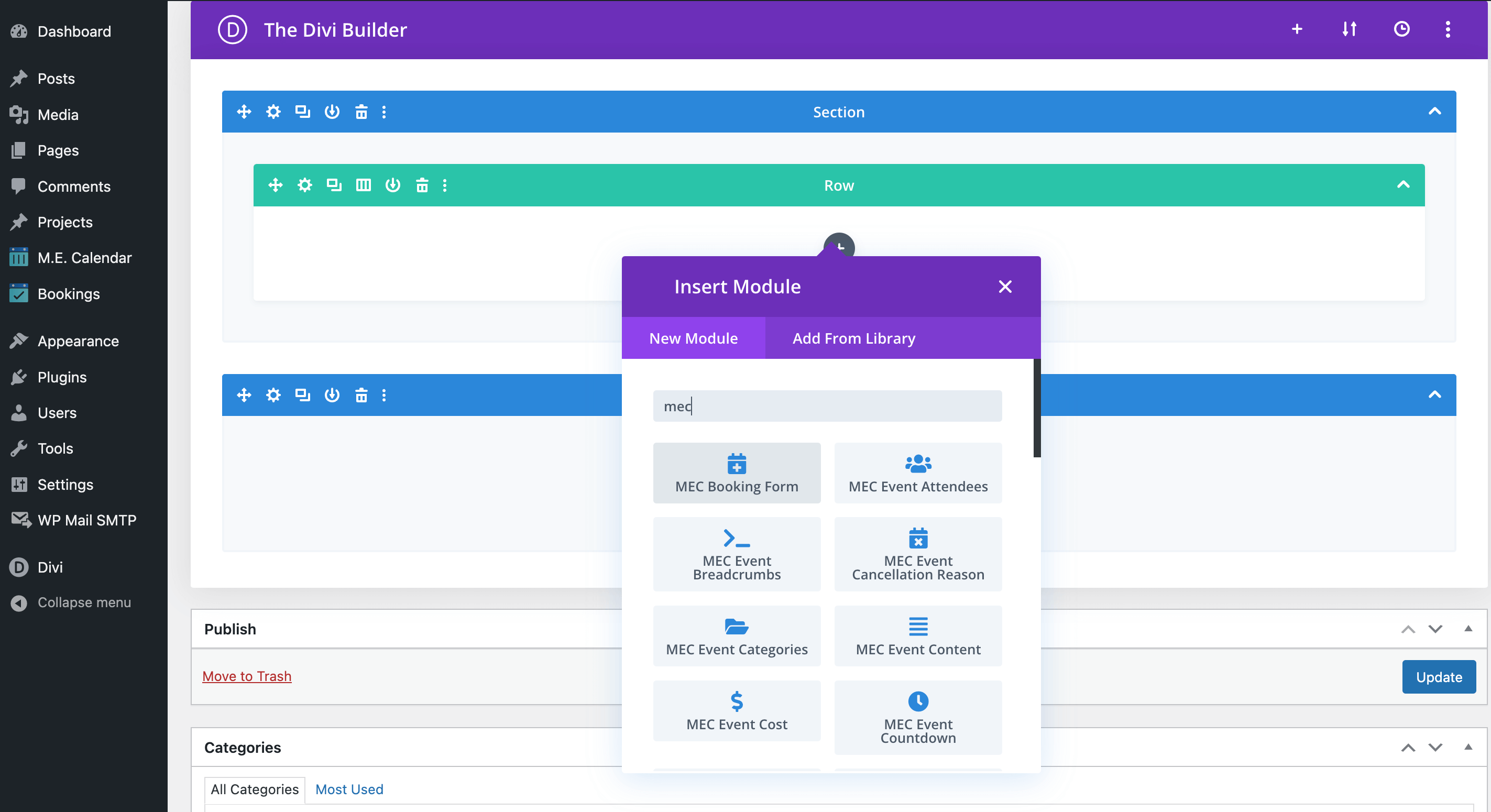
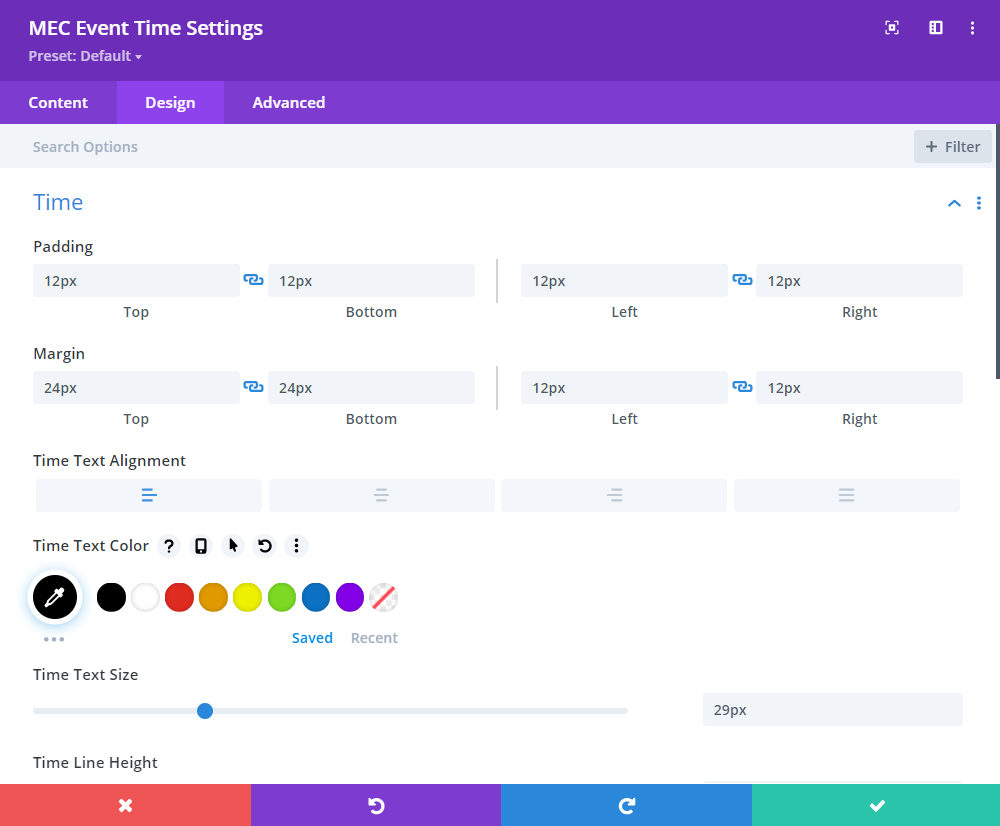
Editing Modes: You can design your page using the standard back-end editor or click the Build On The Front End button for a real-time visual experience.
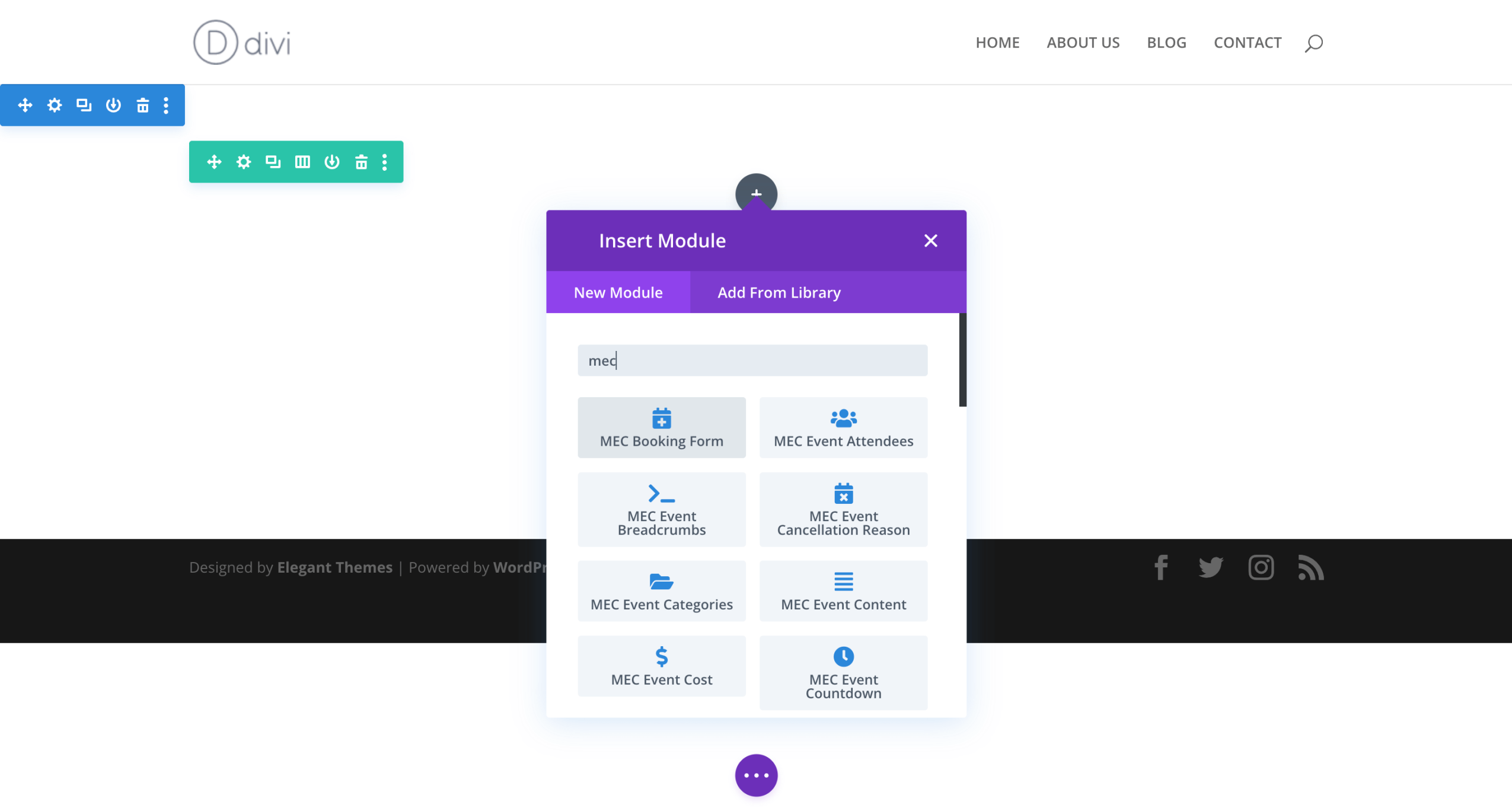
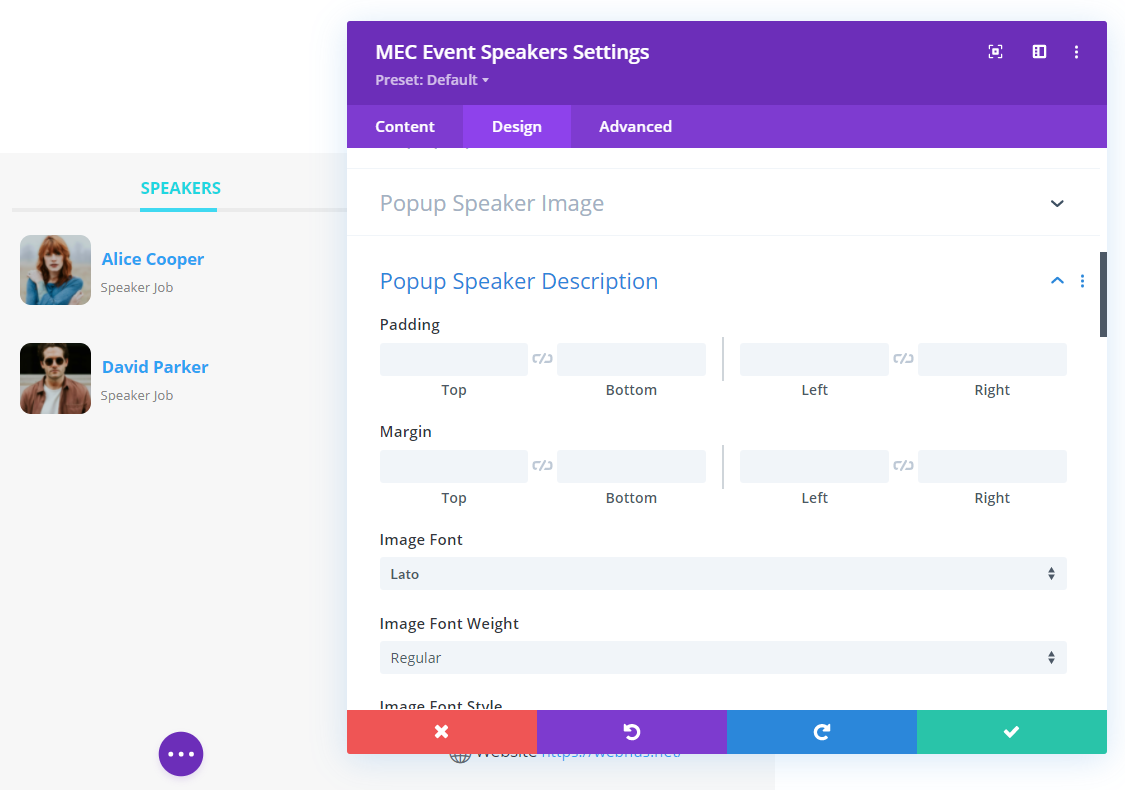
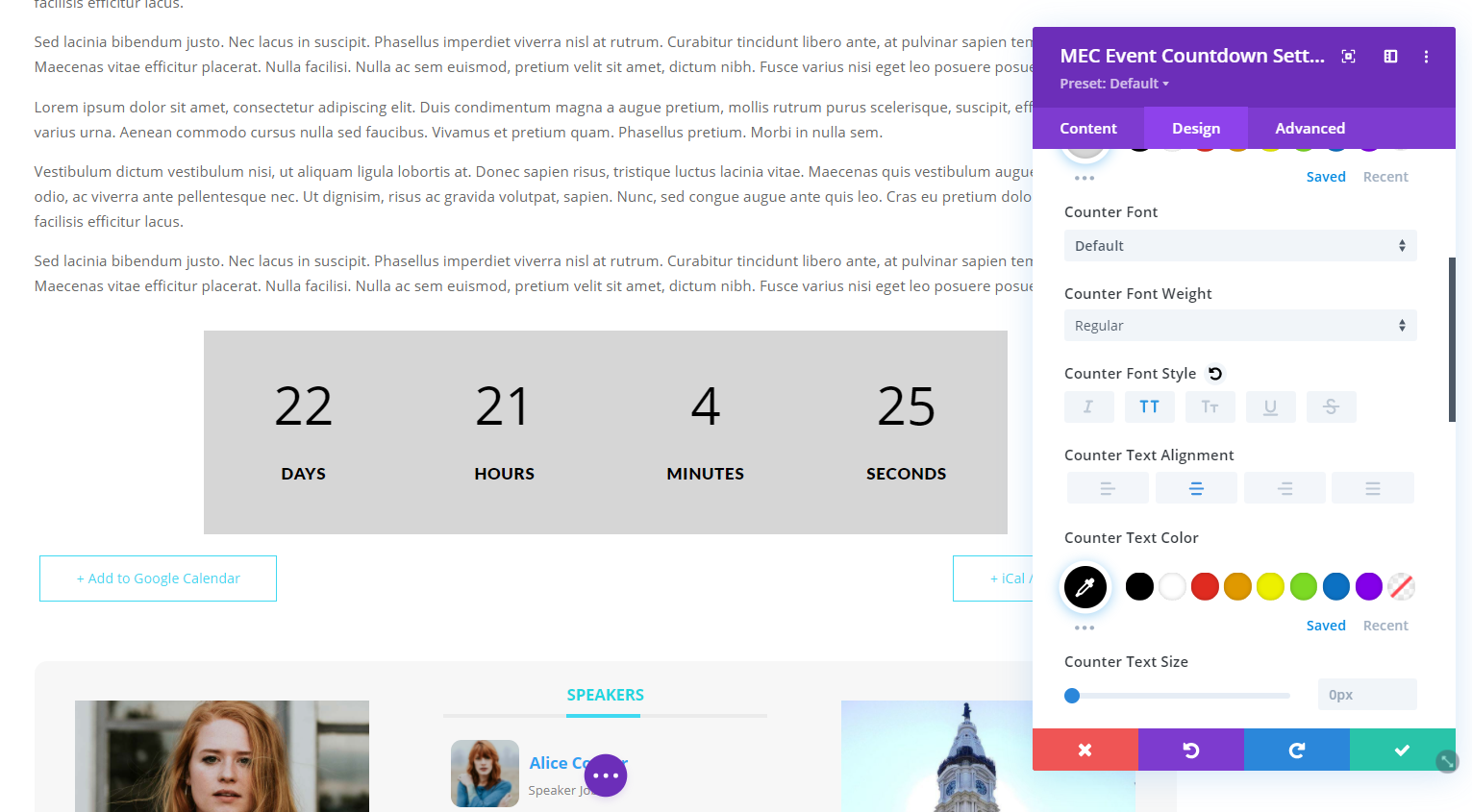
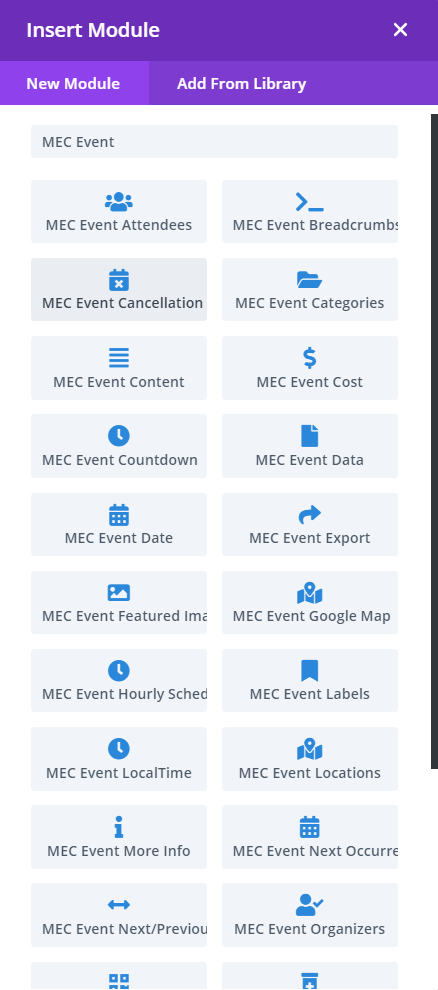
Specialized Modules: When inserting a new module, search for MEC widgets designed specifically for the single event page.
Multiple event templates: you can design a single template to be used for all event modals or create Multiple unique designs for specific events. Also, this addon allows you to create and customize event modal popups.
Assigning Templates to Events
After your designs are ready, you must tell MEC which templates to display.
Global Assignment
To apply a single template to every event on your website:
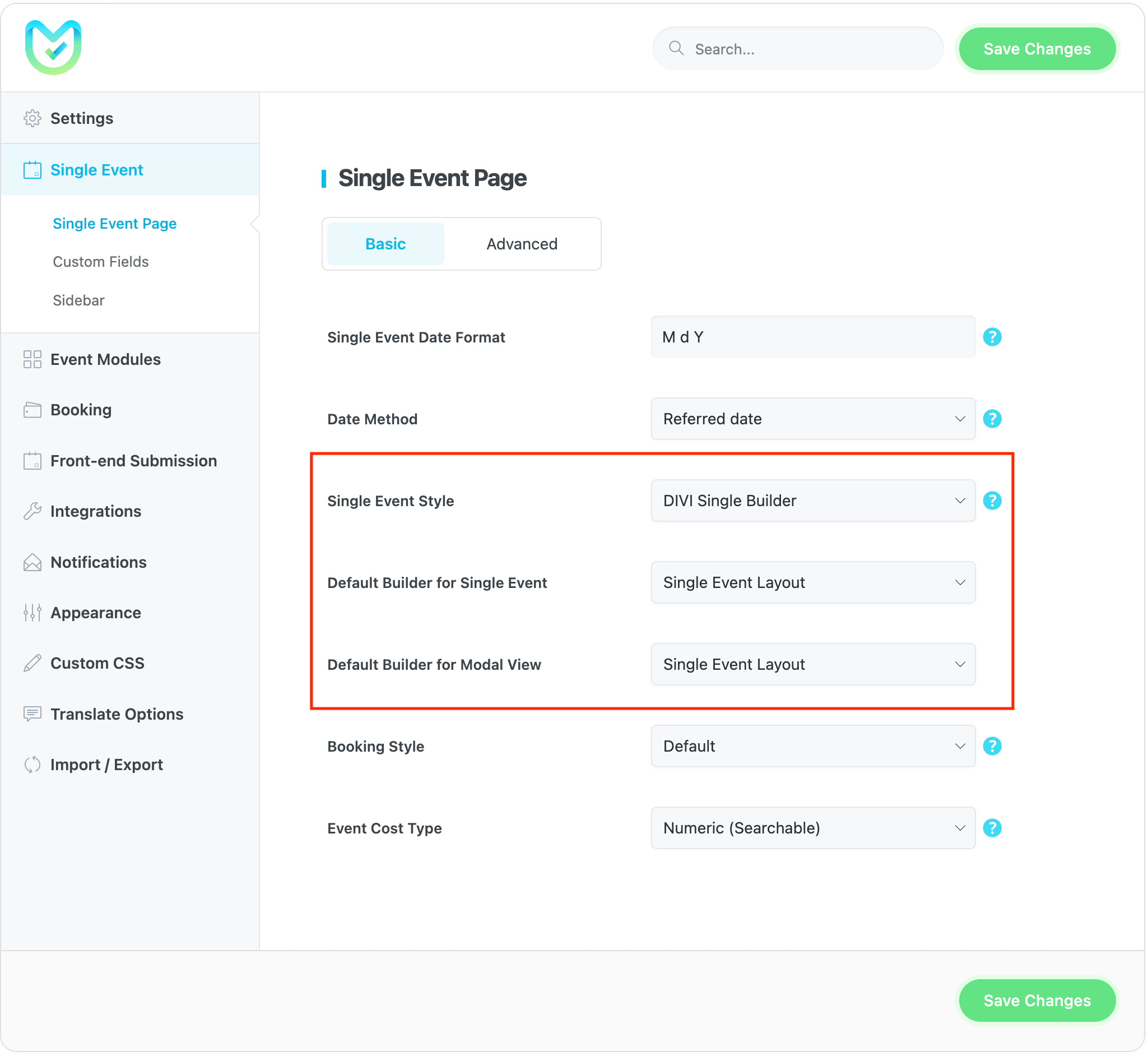
- Navigate to MEC Settings > Single Event > Basic.
- Select your desired Divi template from the available options to apply it globally.
Individual Event Assignment
If you want a specific event to have a unique design:
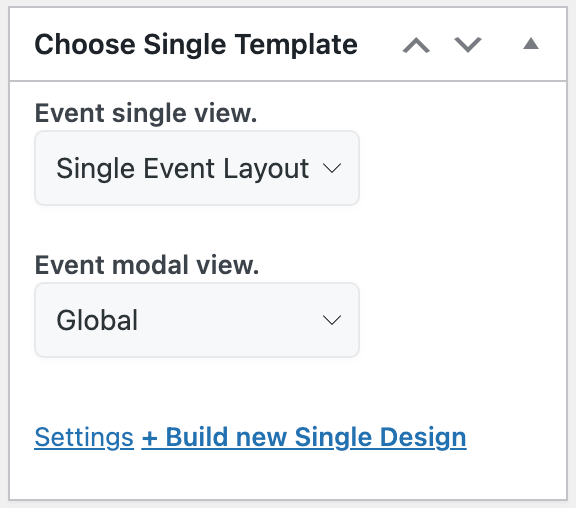
- Open the Single Event Edit Page for the specific event.
- Locate the Sidebar settings on the right-hand side.
- Choose your preferred unique template from the dropdown menu to override the global setting.
Pro Tip: Create multiple templates in the Divi Library to quickly swap designs for different event categories, such as “Workshops” vs. “Conferences”
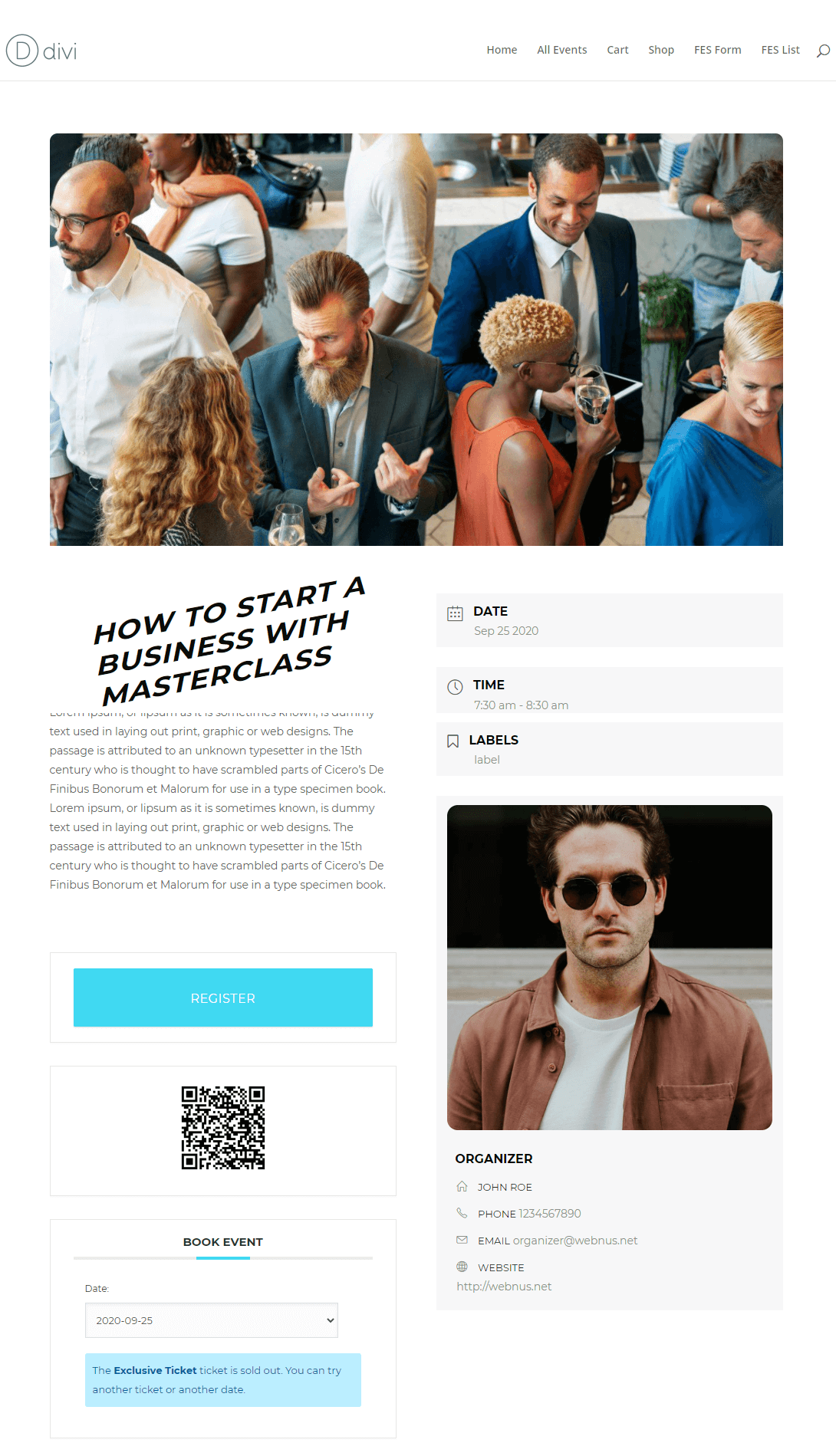
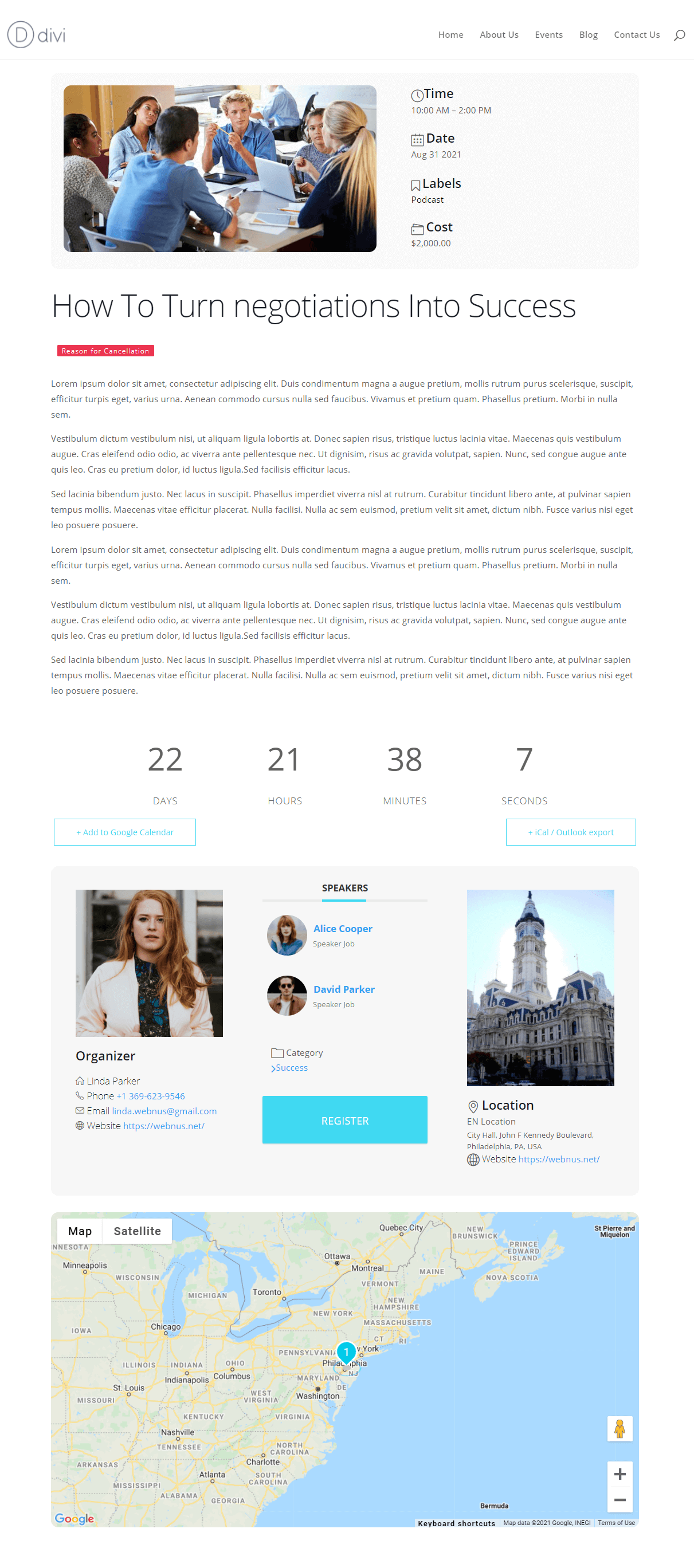
Final preview of single event pages after creating a template with the MEC Divi Single Builder Addon:
Use Cases (When This Addon is Useful)
- Brand Consistency: Perfect for users who want their event pages to look exactly like the rest of their Divi-powered website rather than using standard MEC templates.
- Unique High-Profile Events: Ideal for creating a one-of-a-kind landing page for a major annual summit while keeping standard layouts for smaller meetings.
- Interactive Event Previews: Useful for designing custom modal popups that allow users to view event details quickly without leaving the main calendar view.
Situations This Addon May Not Be Ideal
- Non-Divi Users: This addon is specifically built for the Divi ecosystem and will not function with other builders like Elementor or Gutenberg.
- Minimalist Setups: If you prefer the default, streamlined look of MEC and do not require custom design flexibility, this addon may add unnecessary complexity to your workflow.
- Standard Sidebar Users: If you only use the standard WordPress sidebar and do not wish to use Divi modules to display event data, the basic MEC settings may suffice.
Troubleshooting for Beginners
- Template Not Appearing: Double-check that you selected “Layout” in the Layout Type dropdown when creating the template in the Divi Library. Other types (like “Section” or “Row”) may not be recognized by the MEC assignment settings.
- Missing Sidebar Items: If your sidebar appears empty, ensure you have physically added widgets to the MEC Single Sidebar Widget area under Appearance > Widgets.
- Design Not Updating: If you make changes in the Divi Builder but the live event page doesn’t update, try clearing your Divi Static CSS File Cache (found in Divi > Theme Options > Builder > Advanced) or your website’s caching plugin.
FAQ
How do I start using the Divi Single Builder Addon with MEC?
To use the Divi Single Builder Addon, you first need to install and activate the addon within your WordPress dashboard. After activation, navigate to the MEC settings and select the “Divi Single Builder” option to begin designing your event page layouts. You can then create custom event page layouts using Divi’s drag-and-drop builder, pulling dynamic content from MEC.
What kind of dynamic content can I add to my event pages using Divi?
The Divi Single Builder Addon allows you to pull dynamic content from your MEC events, such as event title, date, time, location, custom fields, and more. You can place these elements within your Divi layout, enabling event-specific information to be automatically updated as you manage your events.
Can I use pre-designed templates for my event pages?
Yes, the Divi Single Builder Addon provides pre-designed event page templates that can be used as starting points for your design. These templates are fully customizable, allowing you to match the layout with your website’s branding and style.
How can I create separate layouts for different events?
You can create unique event layouts for each category by customizing the layout settings in the Divi Builder. On each single event edit page, you can assign specific Divi layouts to different events, allowing for a more tailored experience for various events.
Can I customize the look of my event pages beyond the pre-designed templates?
Yes, the Divi Single Builder Addon is highly customizable. You can use Divi’s builder to add custom modules, widgets, and design elements to the event pages. This enables you to create a unique design that matches your website’s aesthetic and provides a great user experience.
Are the event pages built with Divi responsive?
Yes, the event pages designed using the Divi Single Builder Addon are fully responsive. The layouts automatically adjust to provide a smooth user experience on all screen sizes, from desktop to mobile devices.
How do I manage global design settings for event pages?
The Divi Single Builder Addon allows you to configure default design and layout settings for all your event pages. This ensures consistency across your site without having to manually configure each individual event layout.
Is the Divi Single Builder Addon compatible with other MEC addons, like the RSVP Addon?
Yes, the Divi Single Builder Addon is fully compatible with other MEC addons, including the RSVP Addon and WooCommerce Addon. This ensures that features like event registration, RSVP management, and ticketing work seamlessly with your Divi-designed event pages.
How do I add custom event widgets to my Divi event pages?
You can use the custom widgets and modules provided by the MEC plugin to add unique elements to your Divi event pages. Such as event title, date, time, location, custom fields, and more, which can all be inserted into your Divi layout using the drag-and-drop builder.
Can I assign custom fields to my Divi event pages?
Yes, you can assign custom fields to your event pages. These can be added directly through the MEC event editor and pulled into your Divi layout using the dynamic content feature. This is useful for including additional information.
Can I use Divi’s custom CSS to style my event pages?
Yes, you can use Divi’s custom CSS features to apply custom styles to your event pages. The Divi Builder provides a built-in CSS editor that allows you to target specific elements of your event pages and style them according to your preferences.
How does the Divi Single Builder Addon improve the user experience for event attendees?
By allowing you to design custom, engaging event pages using Divi, the addon enhances the user experience by providing visually appealing and easy-to-navigate event information. Attendees can easily book, view event details, and purchase tickets, all while enjoying a cohesive and responsive design.
Can I create event pages for recurring events with Divi?
Yes, the Divi Single Builder Addon supports recurring events. When creating a recurring event in MEC, you can design a single layout that will apply to all instances of the event. This ensures consistency across all event pages while saving time on creating individual layouts.
How can I make my event pages SEO-friendly when using the Divi Single Builder?
The Divi Single Builder Addon works seamlessly with Divi’s SEO tools and plugins like Yoast SEO or RankMath. You can add custom meta descriptions, titles, and structured data to each event page, improving visibility and SEO rankings for your events.
Report Out Dated Content
If you think the content of this page does not reflect updated information, please let us know.

